
PipeDiagram — Pipeline Network Diagram Editor
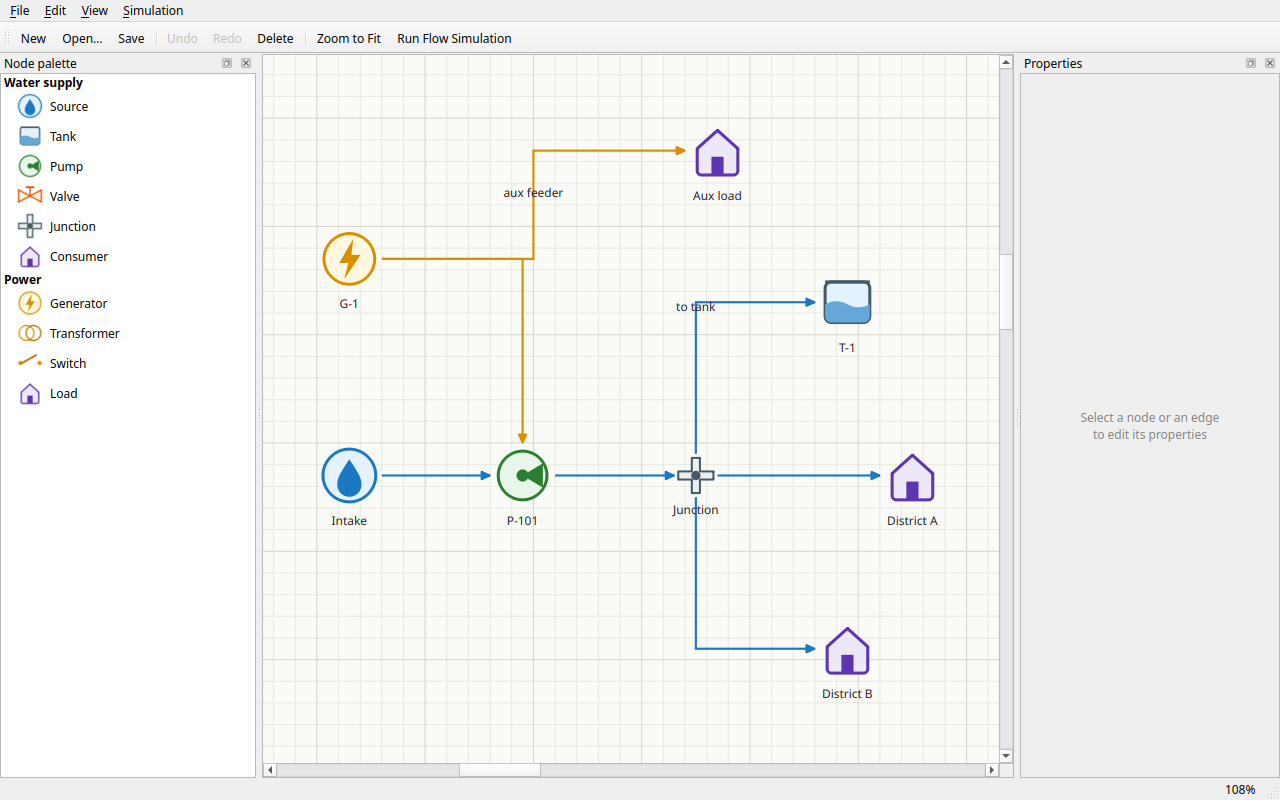
Qt 6 editor for drawing pipeline networks (water, power, …): SVG nodes with typed ports, grid-aligned orthogonal connectors with arc jump-overs, grouped editable properties, styleable edges, and a mock flow simulation with animated flow.
Features
- Node palette — grouped vector node types (water supply, power) dragged onto the canvas
- Typed ports with relations — ports appear when a node is focused/hovered; during a connection drag only relation-compatible ports highlight (water ↔ water, power ↔ power, in/out direction and occupancy checked)
- Grid routing — edges run orthogonally along the rectangular grid; a configurable option draws semicircular arcs where edges cross
- Grouped properties — right panel edits the selected node/edge: General, Presentation and Physics groups with string, int, float, enum, catalogue item, catalogue items, color and value-list editors; physics props include length, diameter, flow rate, flow type
- Edge styles — solid/dashed/dotted/dash-dot lines, width, color override, head/tail decorations: arrow, circle, diamond, bar
- Editing UX — snap-to-grid dragging, multi-select, rubber band, copy/paste/cut, delete with cascade, full undo/redo, Ctrl+wheel zoom, middle-button pan, zoom-to-fit, JSON save/load, color schemes (light/dark/high contrast)
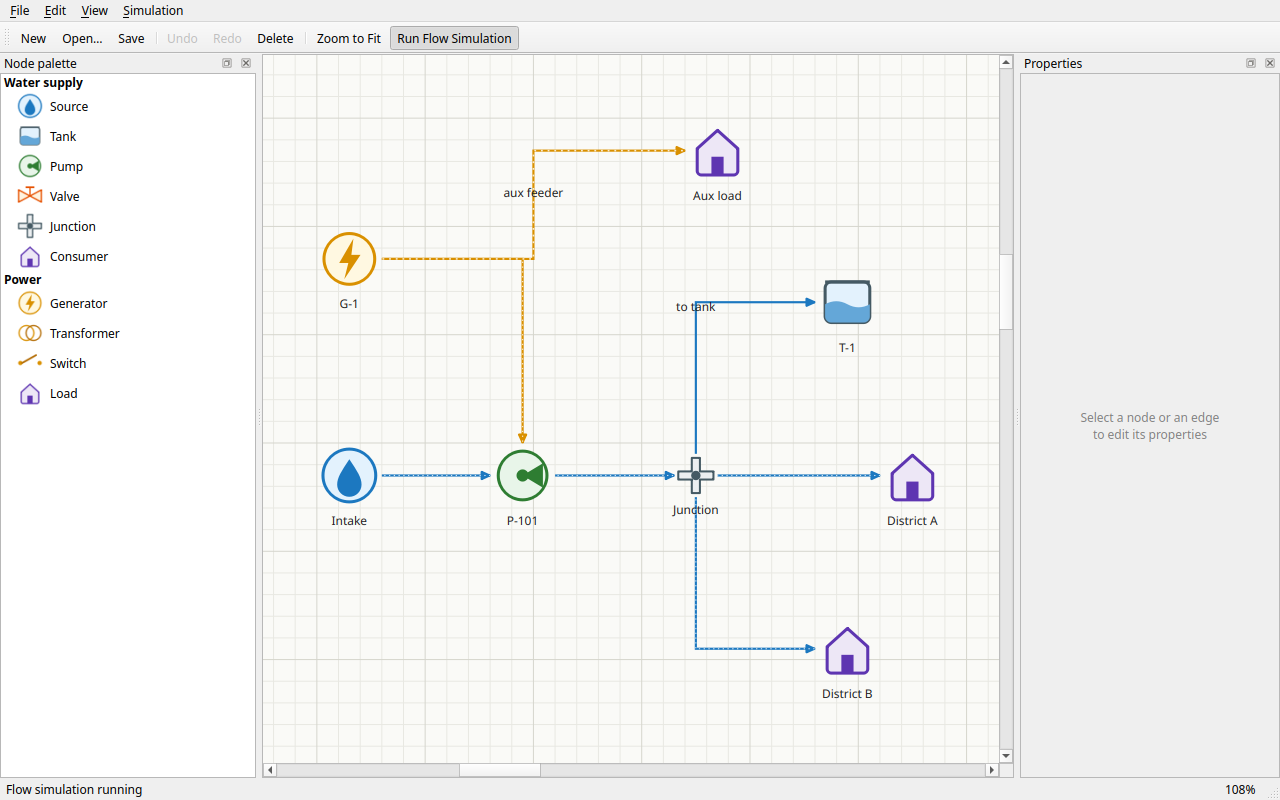
- Mock flow simulation — conservation-based flow distribution (wider/shorter pipes carry more); animated dashes show direction, speed and thickness follow flow volume
Build & run
cmake -S . -B build -G Ninja
cmake --build build
./build/src/pipediagram            # empty document
./build/src/pipediagram --sample   # demo waterworks network
Requires Qt 6 (base + svg), CMake ≥ 3.22. --screenshot out.png renders headlessly
(with QT_QPA_PLATFORM=offscreen), --simulate starts the flow simulation.
Test
ctest --test-dir build --output-on-failure
Eight offscreen suites cover the model and connection rules, property system and catalogues, orthogonal routing and intersection arcs, the flow solver, JSON round-trips, undo commands, interactive scene scenarios and end-to-end main-window flows.
See docs/plan/plan.md for architecture and the tool-selection rationale.